

All on one site!
Easily access the Orders and Invoicing sections directly from the transactional website.
This intuitive, user-friendly service provides a complete view of your orders, shipping details, invoices, and account statements, all on a single platform.

Simplicity
Enjoy an optimal experience thanks to an easy, efficient, and intuitive interface.

Speed
Access the data you need quickly, in just a few clicks.
Visibility
From purchase to payment, get full visibility into the status of your products.
Access
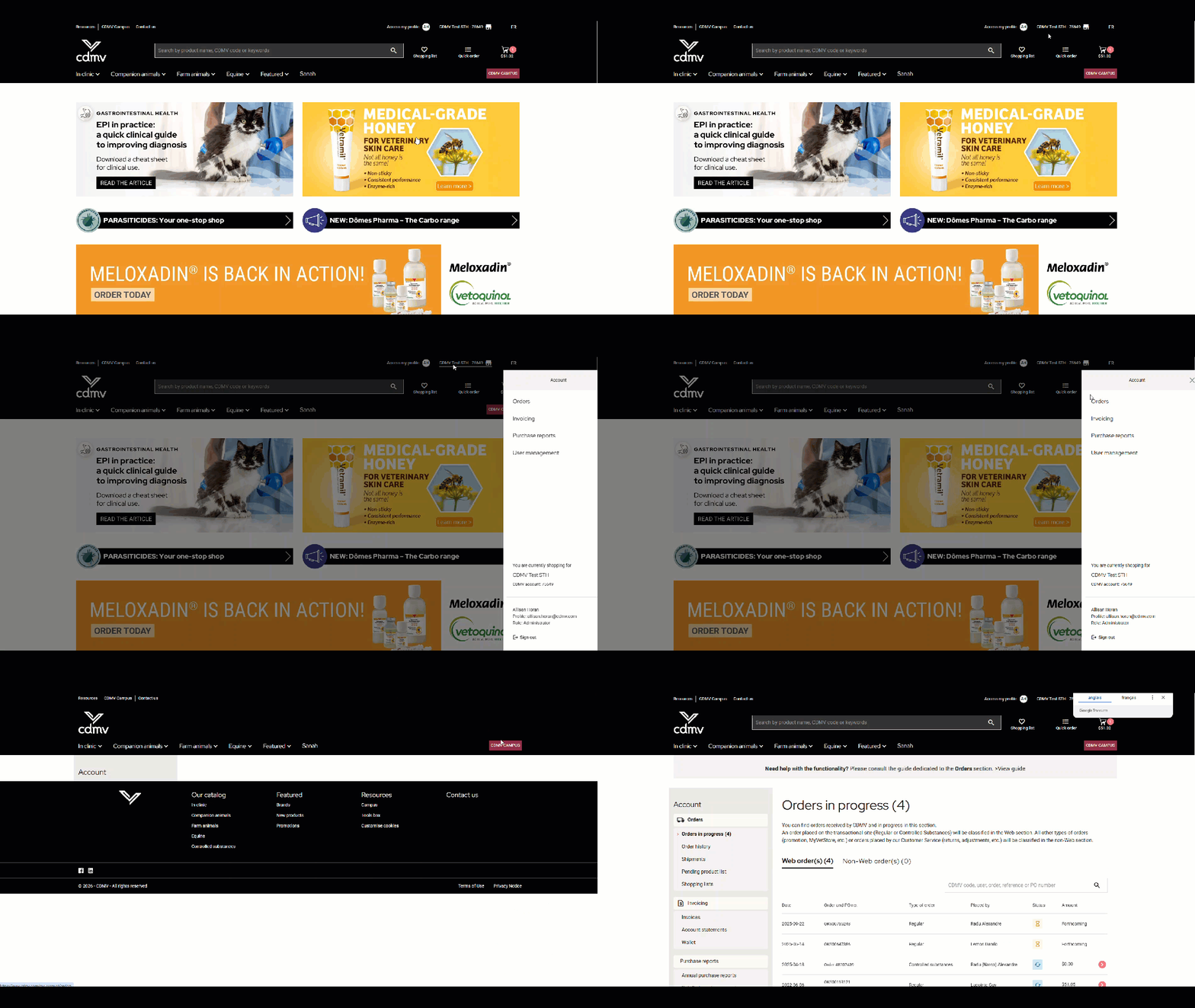
These features are displayed in the Account section of the transactional site. Simply log in to use them.
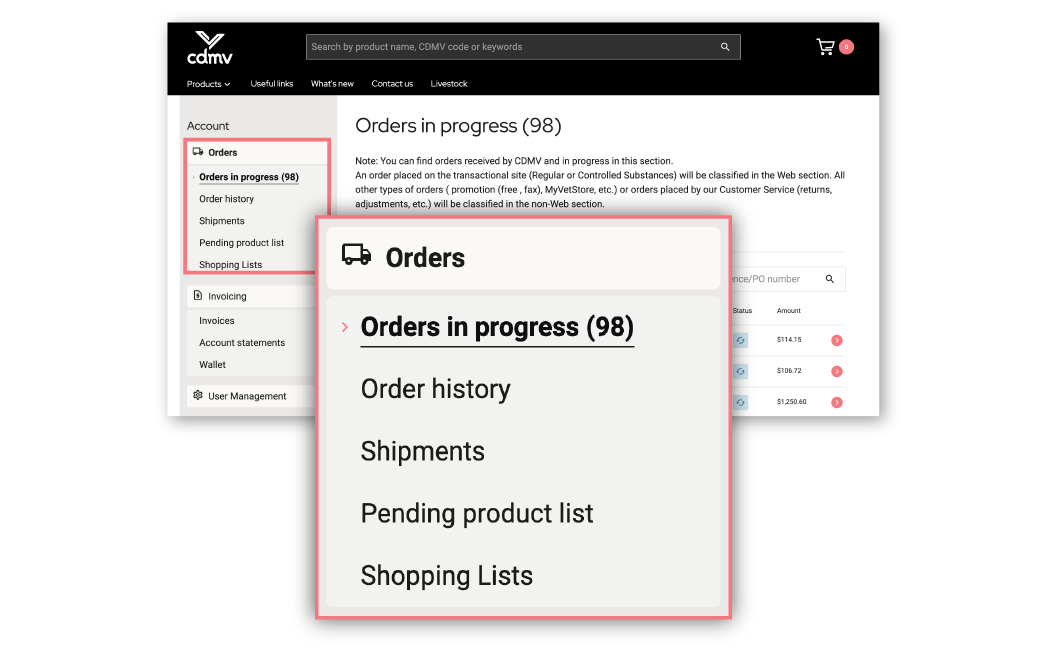
Access your current orders, order history, shipment details, pending products list, and shopping lists by selecting the Orders section.
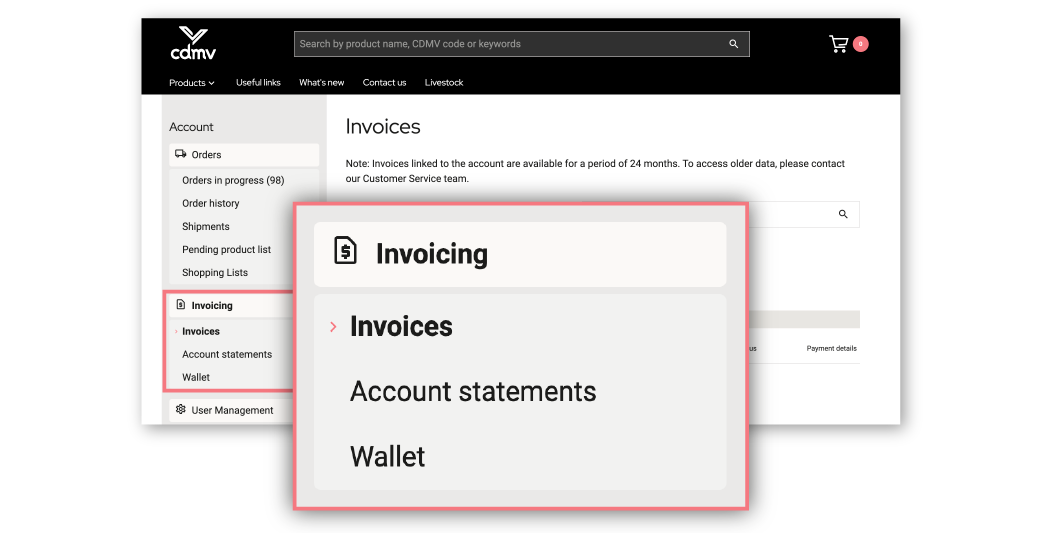
Obtain your invoices, account statements, and view your wallet by selecting the Invoicing section.
Can’t see the content of these sections?
Contact your account administrator to have your role changed. Only users with administrator, treasurer, or restricted treasurer roles can access the Invoicing section.
The Orders section is reserved for users with administrator, treasurer, restricted treasurer, or purchaser roles.
To find out more about the various roles and their corresponding access rights, click here.
Looking for a document or information?
Watch our informative video clips:
How do I track my order?
How do I plan the receipt of my merchandise?
How do I validate shipped merchandise?
How do I find an invoice and its payment details?
How can I access my account statements?
Orders section
Current orders
Find orders that have been received and are being processed by CDMV.
Order history
View your completed and cancelled orders over a 24-month period.
Shipments
Access details of products shipped.
Purchase lists
Create personalized purchase lists for your recurring items.
List of pending product
Find the products you ordered but are out of stock.
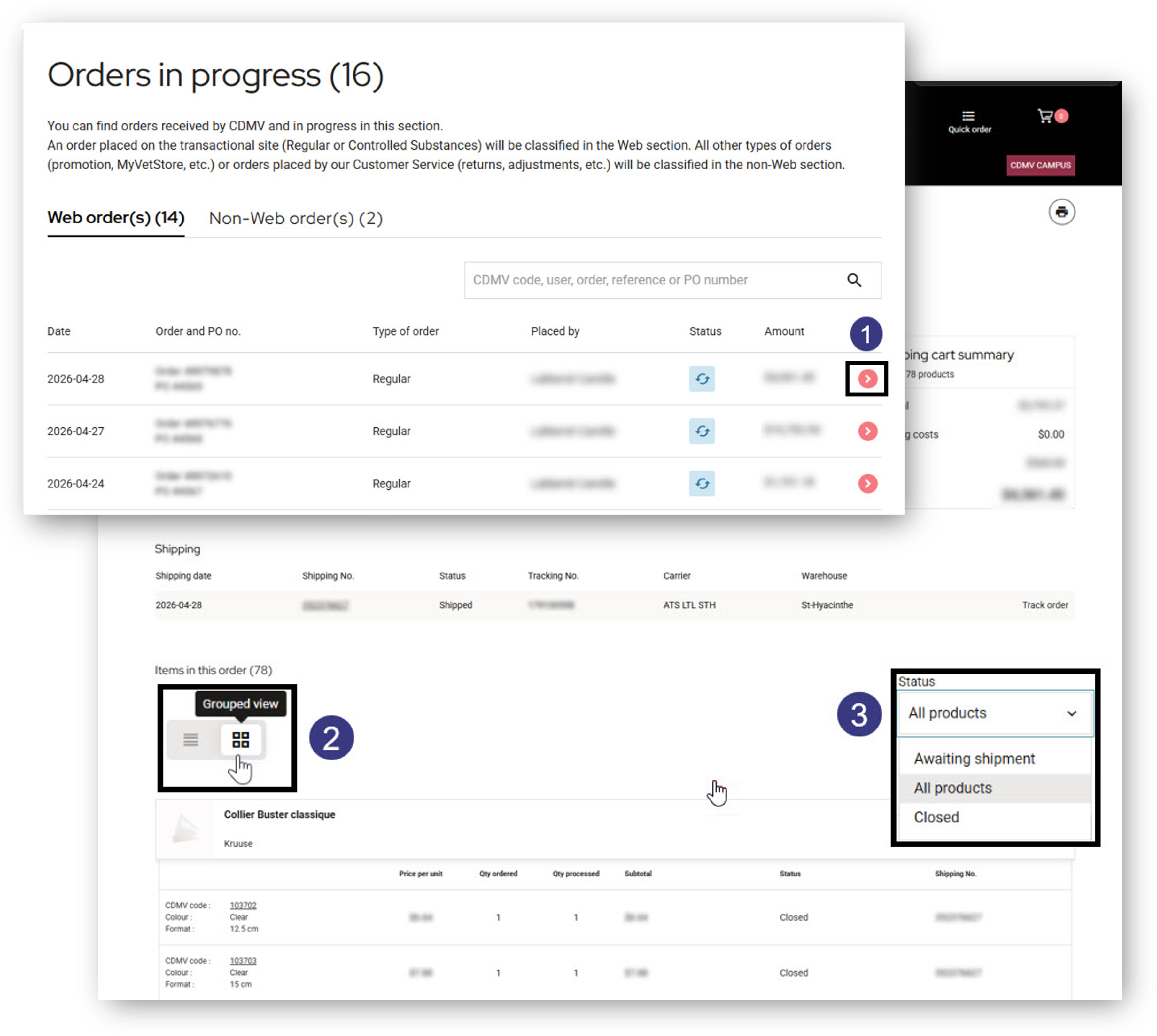
This section is divided into two parts: Web orders for orders placed on our transactional site (regular or controlled substances). Non-Web orders: any other type of order (promo fax, myVETstore, etc.) or any order placed by our Customer service department (returns, adjustments, etc.).
Multiple search options available.
Icons to see the status of each order at a glance.
-
 Orders received: entered in our system but awaiting processing by our team.
 -
 Order being processed: currently being processed by our team.
 -
 Order blocked: an action is required on your part to complete the order. Please contact our Accounts Receivable department.
How to view them online? Watch the clip here.
Order details
Access all information related to an order, including ordered products and their status, directly from this page. To view order details:
- Click the chevron to open the details of the selected order.
- Choose your preferred display mode: grouped by category or alphabetical order.
- Filter by product status—for example, “Awaiting shipment” to quickly identify items that have not yet been shipped.
Find all completed and cancelled orders over the last 2 years. To access earlier records, please contact our Customer Service team.
Choose from several search options.
Access order details and track shipment.
Use the icons to quickly identify the status of each order.
-
 Order completed: closed in our system.
 -
 Order cancelled: completely cancelled.
How to view them online? Watch the clip here
Important:
-
A shipping detail can group together several orders and containers (boxes, bins, and pallets are considered containers).
-
If you can’t find the “Container packing slip” document in your delivery, print out the shipping details to confirm the merchandise delivered.
This new tool contains:
-
The name of the carrier handling your merchandise and the number of containers expected.
-
Container packing slip included in the shipment.
-
Which container the product(s) are in.
-
The numbers needed to match your invoices: CDMV order number, client purchase order, and container and shipment numbers.
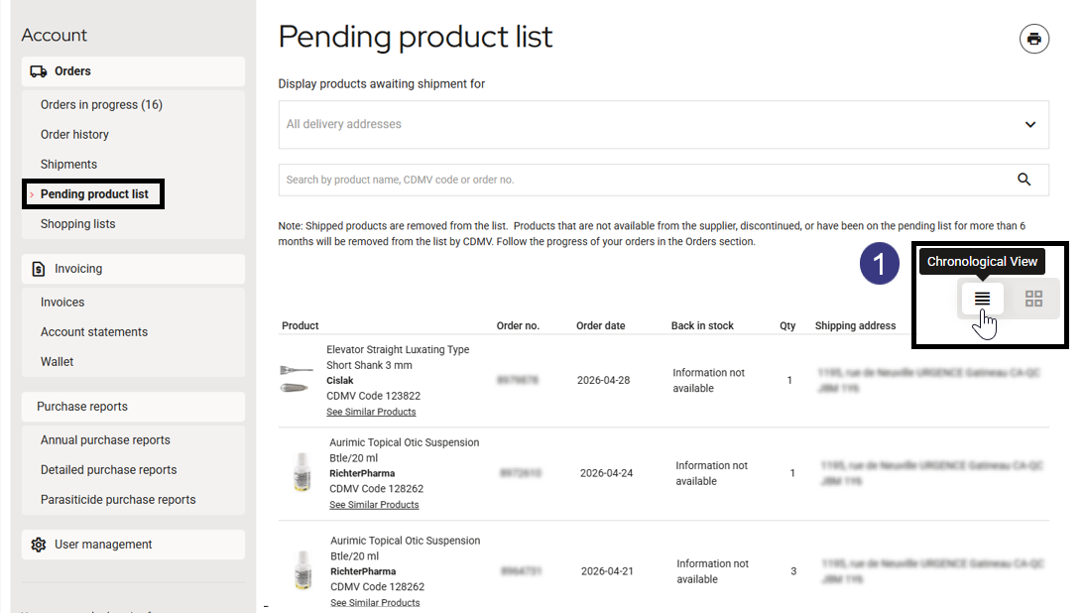
Track your ordered products that are currently out of stock.
1. Select your preferred display mode: grouped by product or chronological order, making it easy to identify products recently added to your pending list.
These products will be shipped with one of your orders when we receive inventory. They are removed from this section until then.
A product that has been on backorder for more than 6 months will be removed from the list.
To ensure you never forget anything, create personalized purchase lists that include your recurring items.
In doing so, you’ll reduce the time you spend searching for and ordering your favourite products!
Invoicing section
Invoices and payment details
View your invoices and payment details for the last 24 months.
Account statements
Access your account statements for the last 24 months.
Wallet
Manage your registered credit cards.
View invoices for the past 24 months. To access earlier records, please contact our Customer Service team.
Find the invoice issue date, purchase order number, total amount, balance, and invoice status—it’s all there!
Choose from several search options.
Click on the invoice number to open the PDF invoice.
Click on the payment detail number to obtain the amount, the payment detail number, and the date payment was received. All invoices linked to a payment are displayed with the due date, total amount paid, and balance.
Is this information updated daily?
How to view them online? Watch the clip here.
View account statements for the past 24 months. To access earlier records, please contact our Customer Service team.
Choose from several search options.
View and download your account statements.
This information is updated daily overnight.
How do I view them? Watch the clip here.
Add, change, or delete a credit card.
Indicate the card to be used for your payment if you choose the “Charge to account” option (in the payment method section) during the purchase process, according to your payment agreement with CDMV.
When a credit card error occurs, a message will indicate what action is required on your part.
For more details, click here.